Product
Veey provides digital business cards that help teams capture every contact, exchange details instantly and preserve context. AI automatically enriches every contact, making follow-up simple and every business relationship easier to manage.
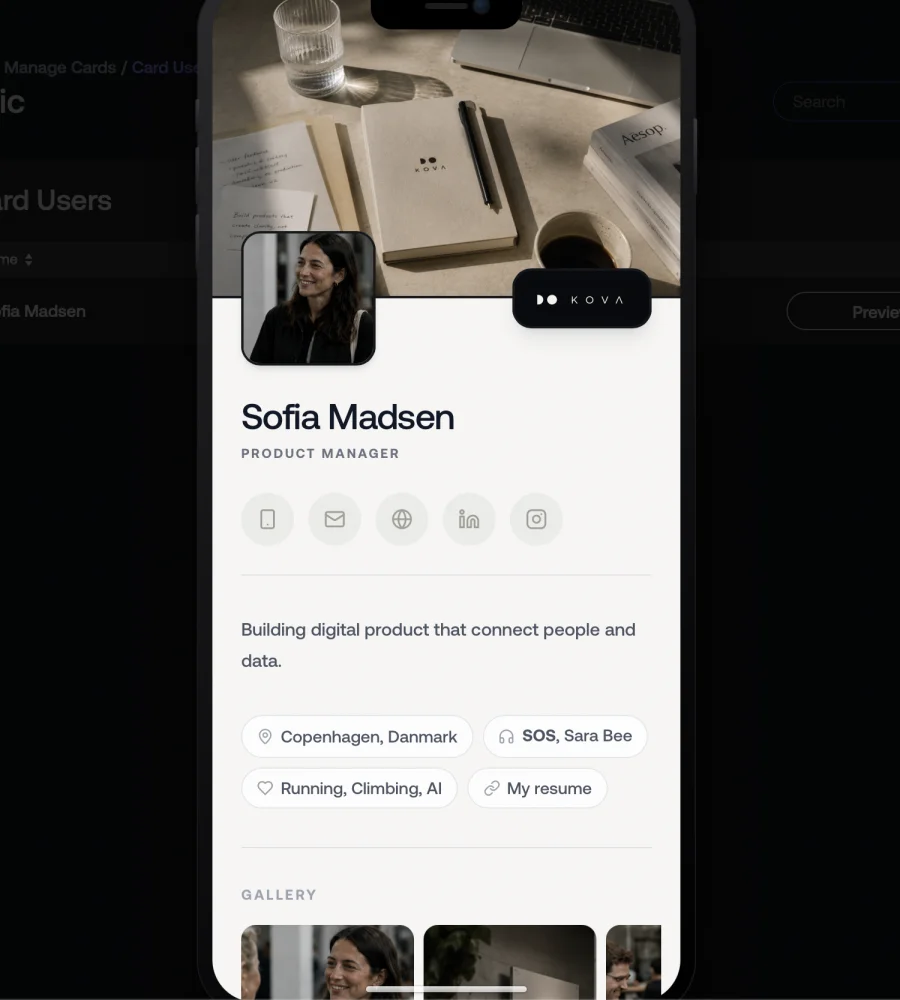
Whether you're an individual, a team or an enterprise, Veey helps you capture every contact, exchange details instantly and keep every relationship organised.
Getting started is easy. Sign up and create your first template. It’s that simple!
Veey provides digital business cards that help teams capture every contact, exchange details instantly and preserve context. AI automatically enriches every contact, making follow-up simple and every business relationship easier to manage.
Open your card in the Veey app and tap Share. From there you can show a QR code, copy your link, or send your card by WhatsApp, email or any app on your phone.
On iPhone and Android you can also add your card to Apple Wallet or Google Wallet from the menu in the Veey app, so it's one tap away even when you're offline.
Need something printed? Download a static QR code from Settings for badges, signs or paper material. You can also put your card in your email signature (see below).
Share Back lets the person you meet send their details back to you straight from your card, without an app. Both of you leave with each other's contact information.
If they're new to Veey, they get their own digital business card in the process, pre-filled from their email address, with a 30-day free trial.
Yes. For every connection you can add private notes and voice notes, tag it, record where and when you met, flag it as a priority and schedule follow-up reminders. Upcoming reminders show up under Next up in the app, so no relationship is forgotten.
Yes. In the Veey app, go to Settings → Email signature. Choose what to show (photo, logo, phone, email), copy the signature and paste it into your email program; the page has the steps for Gmail, Outlook and Apple Mail. Every email you send then carries a link to your card.
Admins can also copy a team member's signature from the dashboard, or email them a link to set it up themselves.
Yes. Every plan includes a 30-day free trial. Sign up in the Veey app to create your card and try everything before you choose a plan.
See plans and pricingSign in to the Veey app with your email address and password, or with a one-time code sent to your email — no password needed. Admins sign in to the Veey dashboard the same way.
You get a digital business card in the Veey app at app.veey.co. Share it with a QR code or a link, and the person you meet can save your details and share theirs back in a few taps.
Everyone you exchange details with, scan or add yourself ends up in your connections, enriched with AI and ready for notes, tags and follow-up reminders.
No. Your card opens directly in any web browser, so recipients don't need an app or an account to view it, save your contact or share their details back.
In the Veey app you can scan a paper business card with your camera, enter just a work email address, type or paste contact details, dictate them by voice, or import contacts from your phone (where your browser supports it). The contact is added to your connections.
Yes. You can update your name, title, phone numbers, email, location, photo and more at any time, and changes are live immediately.
For teams, the company's branding — logo, colours, fonts, layout, links, video and gallery — comes from a template managed by the admin, so every card looks consistent. Admins can choose which template fields team members are allowed to change.
You can export your connections as a CSV file from the Veey app and import them into your CRM or spreadsheet, and save any single contact as a vCard. Direct CRM integrations are on our roadmap.
No. You pay for your plan, monthly or yearly, and that's it. Plans differ in how many cards and templates you can have.
Veey's data is hosted in the EU (Finland). Data is encrypted in transit and at rest, and we follow GDPR. You decide what you share on your card, and your notes on connections are private to you.
Read our privacy policyWhether you're an individual, a team or an enterprise, Veey helps you capture every contact, exchange details instantly and keep every relationship organised. Teams get a dashboard to design their cards and manage everyone on them in one place.
Recipients tap to save your contact straight to their phone. iPhone and Android open the contact card ready to save, and other devices download a standard contact file (.vcf).
When you add a contact, Veey uses business data sources and AI to fill in what's missing — such as job title, photo, LinkedIn profile, company logo, website and location. Often a name or work email address is enough to get a complete contact.
Yes. In the Veey dashboard, admins design branded templates and add people by email: each of them gets an invite to set up their card in the Veey app, and the dashboard tells you straight away if someone was already invited or is already on the team.
The Team page shows everyone in one list (who has their card, who's still setting up, and which template they're on), with their card a click away. Update a template once and every card using it is updated instantly.
Engagement insights for teams — how often cards are viewed, saved and shared across the organisation — are coming to the Veey dashboard soon.
Yes. Veey runs in the browser on smartphones, tablets and computers. For quick access on your phone, add the Veey app to your home screen: on iPhone, open app.veey.co in Safari, tap the share icon and choose Add to Home Screen; on Android, open it in Chrome, tap the menu and choose Install app or Add to Home screen.
Printed cards run out, go out of date and end up in a drawer. A Veey card is always current, can be shared in seconds, and works both ways: you get the other person's details back, enriched and stored with your notes and reminders, so the conversation doesn't end when the event does.